
What would your household do if the power stayed off for weeks? Using a 90-day blackout as a preparedness scenario helps you think beyond the first flashlight: how would you keep essential devices running, and where would tomorrow's electricity come from?
For families in Rochester Hills and across Oakland County, winter weather makes those questions especially practical. A plan for a prolonged outage also helps during a much shorter interruption. Batteries, portable power stations and solar energy each have a useful role, and choosing them together starts with knowing what your household needs.
Start with the Essentials You Would Miss First
Walk through your home and make a short list of the devices you would need during an outage. Think about lighting, phone charging, weather updates, necessary medical equipment and food or medicine refrigeration. A sump pump or well pump may also be a priority for your home.
Record each device's model, power requirements and expected hours of use. Separate the things you must keep running from the things you could use less often. An efficient lamp and a charged phone have very different energy needs from an electric space heater or central air conditioner.
Ready.gov recommends taking an inventory of electricity-dependent items and planning for batteries and alternative power sources. If you depend on powered medical equipment or refrigerated medicine, make a specific outage plan with your medical provider and equipment supplier, including where to go if backup power runs low.
Keep Everyday Batteries Ready
A fresh set of batteries can keep a flashlight, headlamp or battery radio useful when wall outlets are unavailable. Give each household member access to a working light, and check the batteries your actual devices require before buying spares.
- Match the device. Follow its specified battery size, chemistry and replacement instructions. Use only rechargeable batteries in a compatible charger.
- Store and rotate your supply. Keep batteries in a dry location within the manufacturer's temperature limits, with loose terminals protected from metal objects. Check expiration dates and replace used spares.
- Include rechargeable options. Compatible rechargeable batteries and a way to recharge them can help sustain frequently used lights and other small devices.
- Check your alarms. Maintain smoke and carbon monoxide alarms according to their instructions, including backup batteries where applicable.
Small batteries handle small jobs efficiently. Keeping a headlamp on its own batteries also leaves your larger power station available for devices that need it.
Choose Portable Power by Watts and Watt-Hours
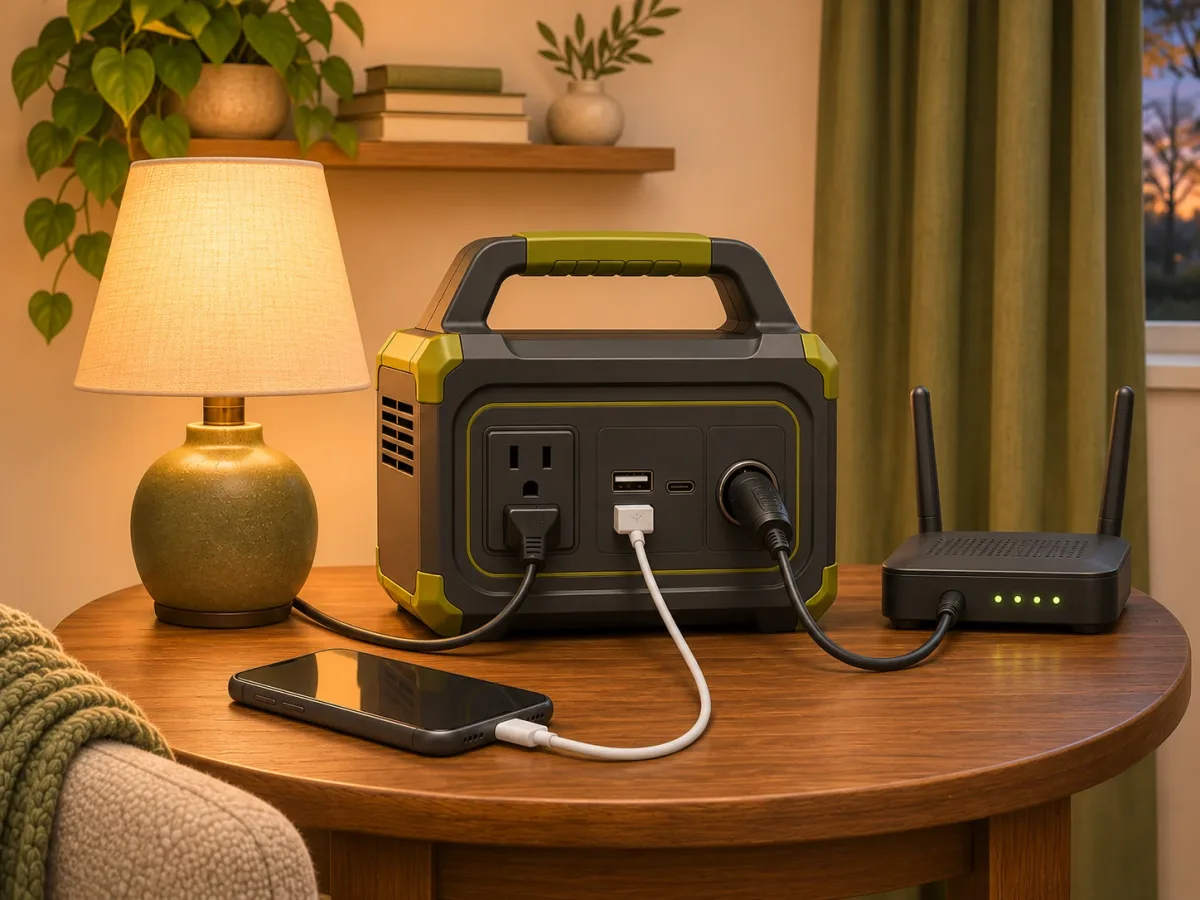
A portable power station stores electricity for use through its supported outlets and charging ports. Depending on the model and load, it may support phones, lights, a laptop or selected appliances. Check the exact equipment before relying on it.
Watts (W) describe how much power your devices draw at a given moment. The station must support the devices you run together, including any motor or compressor starting surge. Individual outlets have limits too.
Watt-hours (Wh) describe stored energy. For example, a steady 50-watt load running for eight hours uses 400 watt-hours. Battery capacity must also allow for conversion losses, the station's own consumption, operating conditions and a reserve. A nameplate capacity alone cannot establish your actual runtime.
Use a plug-in energy meter where appropriate to measure compatible appliances over a representative day, especially equipment that cycles on and off. Ask about usable capacity, output limits, supported expansion batteries and charging options. A refrigerator, sump pump or medical device needs its own compatibility and runtime assessment.
For a Long Blackout, Plan How to Recharge
Over a 90-day scenario, a charged battery is the beginning of your plan. Every day's energy use has to be replaced. Extra battery capacity can increase the time between charges, but it also increases the energy needed to refill the system.
Build a daily routine: use efficient lighting, charge devices when needed, turn off unnecessary loads and check the station's remaining energy. Recharging at another location only helps if that location has dependable power and you can reach it safely. A charged router also depends on your internet provider's network remaining available.
For an extended disruption, power preparation belongs alongside plans for drinking water, food, sanitation, warmth, communication and transportation. Know when conditions would require moving to a safer location.
Add Solar Energy to Replenish Your Batteries
Compatible solar panels can recharge a power station when sunlight is available, reducing dependence on a working wall outlet. The panels collect energy during the day; the battery stores it for later use. This combination can support a repeatable daily routine when the system's energy production and storage match your needs.
Check panel voltage, current, connectors and the station's solar input limits together. Follow the manufacturer's setup instructions and weather ratings, and keep equipment that is not weatherproof protected from rain and snow.
Plan for Michigan's less sunny days. Short winter days, clouds, shading, snow cover and panel placement affect solar production. A panel's advertised wattage does not mean it will deliver that output all day. Size your setup using realistic seasonal production, and allow for stretches of poor weather with reserve capacity, reduced consumption and another safe fallback.
Follow the battery's charging-temperature limits as well. Many lithium batteries restrict charging in freezing conditions unless the system specifically supports it.
If you already have rooftop solar, ask your installer exactly what it can power during a grid outage. A typical grid-connected solar system shuts down when the grid fails; backup operation requires equipment designed and configured for that purpose.
Practice Before You Need the Equipment
Set up your kit while electricity is available and try your intended devices plugged directly into the power station. Track the energy used during a normal evening, check the solar connections and make sure everyone knows how to operate the system. Keep instructions, cables and a paper contact list together.
Use equipment within its ratings and keep ventilation openings clear. Home-circuit connections require compatible equipment and a qualified electrician. Never feed power into a household wall outlet.
Check your kit periodically and follow the manufacturer's storage and maintenance guidance. A familiar setup with tested limits is much easier to use when the lights go out.
Build Your Backup-Power Plan with Battery Giant
Bring your device list, model numbers, expected operating times and questions to Battery Giant Rochester Hills. We can help you compare battery options, explore EcoFlow portable power and home backup systems, and check compatible solar charging options. For a larger project, explore our solar and power solutions and discuss what your application requires.
Start with the essentials, establish a dependable way to recharge and build from there. The preparation you do today can make the next outage easier to manage.
Visit us at 1178 Walton Boulevard, Rochester Hills, MI 48307, call 248-759-4231, or contact our team to discuss your backup-power needs and current availability.